
More actions
Start of writing the docs. |
m Update information about how {{ShipBoxTooltip}} works. |
||
| Line 14: | Line 14: | ||
; Syntax | ; Syntax | ||
: Can <em>not</em> be used on its own. | : Can <em>not</em> be used on its own. | ||
: {{T|ShipBoxTooltip}} is called when a ship article is called with mode= tooltip. e.g. <nowiki>{{:Vexor|mode= tooltip}}</nowiki> gives {{:Vexor|mode= tooltip}} | |||
: | |||
<includeonly>[[Category:Template]]<!-- Any categories for the template itself --></includeonly> | <includeonly>[[Category:Template]]<!-- Any categories for the template itself --></includeonly> | ||
<noinclude>[[Category:Template documentation]]</noinclude> | <noinclude>[[Category:Template documentation]]</noinclude> | ||
Revision as of 13:27, 1 May 2022
This page is a work in progress.
Notes: Analyzing the code and related templates and articles to write the doc
If this article or section has not been edited in several days, please remove this template.
Last edited: 11:45, 30 April 2022 (UTC)
For usage guide please see Ship Template
- Description
- This template is a sub-template used to produce a link to a ship which on mouse over shows a tool-tip whit some ship info.
- Dependencies
- Uses:
- {{Tooltip}}
- Ship information in ship database articles.
- Called by:
- {{Ship}} through ship database articles
- Syntax
- Can not be used on its own.
- {{ShipBoxTooltip}} is called when a ship article is called with mode= tooltip. e.g. {{:Vexor|mode= tooltip}} gives
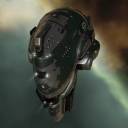
|
Vexor
Standard Cruisers Vexor Class
 4 (0/4) 4 (0/4)  4 4  5 5
 700 MW 700 MW  300 tf 300 tf 195 m/sec 195 m/sec 480 m³ 480 m³ |