
More actions
m Pehuen moved page User:Pehuen/Fleet-Up to Fleet-Up: Created a temporary place to get feedback |
expanding guide a bit |
||
| Line 1: | Line 1: | ||
{{Work in Progress}} | {{Work in Progress}} | ||
=What is Fleet-Up= | =What is Fleet-Up?= | ||
[http://fleet-up.com/ Fleet-Up] is a third party website that allows you to manage fittings, doctrines, pilots and fleets. | [http://fleet-up.com/ Fleet-Up] is a third party website that allows you to manage fittings, doctrines, pilots and fleets. It is accessible via both in-game and out-of-game browsers, making importation of fits into EVE easy. | ||
=How to Join Fleet-Up= | =How to Join Fleet-Up= | ||
# Register on [http://fleet-up.com fleet-up.com] | # Register on [http://fleet-up.com fleet-up.com][[File:SSO.png|right|thumb|300px]] | ||
## '' | ## ''Do not'' use your EVE or UNI login credentials to register. | ||
## You ''can'' however sign up using EVE Online: Single Sign On, to sign in with your EVE Online details without having to create an account first. Saves time and is secure (see more details of SSO [https://community.eveonline.com/news/dev-blogs/eve-online-sso-and-what-you-need-to-know/ here]). Remember to sign-on using an account with an E-UNI character on it. | |||
# Click on [http://fleet-up.com/ApiKey Characters] | # Click on [http://fleet-up.com/ApiKey Characters] | ||
## Click on '''Add API Key''' | ## Click on '''Add API Key''' | ||
## Add an API | ## Add an API from a E-UNI Character | ||
### You | ### You need at least a [https://support.eveonline.com/api/key/CreatePredefined/8921416 pre-defined key] with character skills only ('''recommended''') | ||
### You can use a [https://support.eveonline.com/api/key/CreatePredefined/8921418 pre-defined key with skills and assets | ### You can instead use a [https://support.eveonline.com/api/key/CreatePredefined/8921418 pre-defined key] with skills and assets if you wish to track your assets | ||
# Click on [http://fleet-up.com/Group Group] | # Click on [http://fleet-up.com/Group Group] | ||
## Click on '''Join via API''' | ## Click on '''Join via API''' | ||
## | ## Join the EVE University group (Owner: Azmodeus Valar) | ||
### | ## If you have a valid API you will be able to join it automatically | ||
## Manual applications to join the EVE University group will be rejected | |||
===Troubleshooting=== | |||
==Troubleshooting== | The most likely issue is not setting up the API properly before you try to join the EVE University group. | ||
The most likely issue is not setting up the API before you try to join EVE University | |||
If you have joined EVE University very recently, your API may not be updated, so wait 48 hours | If you have joined EVE University very recently, your API may not be updated, so wait 48 hours. | ||
If you are | If you are having issues, ask a [[Campuses|campus]] officer (or ask in E-UNI channels) for assistance. | ||
If you are | If you are ''still'' having issues, contact Kaein Soturus, Kivena, or Rose Chanlin (Fleet-Up group managers). | ||
If you are a frequent guest FC and would like access without an API you should contact the [[Management#Director_of_Special_Projects|Director of Special Projects]]. | |||
=How to Find Fits= | =How to Find Fits= | ||
Once you are logged in with an E-UNI character: | |||
* Click on [http://fleet-up.com/Fitting/Index Fittings] - click on [http://fleet-up.com/Fitting/Index/42050 EVE University Fittings] | |||
Here you can either click on each hull type, or use the search field to narrow your search | Here you can either click on each hull type, or use the search field to narrow your search. | ||
[[File:fleet-up_fittings.png]] | [[File:fleet-up_fittings.png]] | ||
| Line 36: | Line 39: | ||
=How to Find Doctrines= | =How to Find Doctrines= | ||
Once you are logged in with an E-UNI character: | |||
* Click on [http://fleet-up.com/Doctrine/Index Doctrines] - click on [http://fleet-up.com/Doctrine/Index/42050 EVE University Doctrines] | |||
A list of doctrines will appear, select the doctrine you wish to view. | A list of doctrines will appear, select the doctrine you wish to view. | ||
| Line 50: | Line 53: | ||
[[File:fleet-up_doctrines_flyable.png|thumb|left]] | [[File:fleet-up_doctrines_flyable.png|thumb|left]] | ||
* Green indicates all skills met | * Green indicates all skills met | ||
* Yellow indicates you can fly the hull but not all modules | * Yellow indicates you can fly the hull but not use all modules | ||
* Red indicates you can not fly the hull | * Red indicates you can not fly the hull | ||
Revision as of 22:07, 26 February 2015
What is Fleet-Up?
Fleet-Up is a third party website that allows you to manage fittings, doctrines, pilots and fleets. It is accessible via both in-game and out-of-game browsers, making importation of fits into EVE easy.
How to Join Fleet-Up
- Register on fleet-up.com
- Do not use your EVE or UNI login credentials to register.
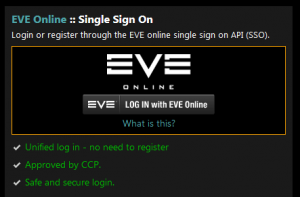
- You can however sign up using EVE Online: Single Sign On, to sign in with your EVE Online details without having to create an account first. Saves time and is secure (see more details of SSO here). Remember to sign-on using an account with an E-UNI character on it.
- Click on Characters
- Click on Add API Key
- Add an API from a E-UNI Character
- You need at least a pre-defined key with character skills only (recommended)
- You can instead use a pre-defined key with skills and assets if you wish to track your assets
- Click on Group
- Click on Join via API
- Join the EVE University group (Owner: Azmodeus Valar)
- If you have a valid API you will be able to join it automatically
- Manual applications to join the EVE University group will be rejected

Troubleshooting
The most likely issue is not setting up the API properly before you try to join the EVE University group.
If you have joined EVE University very recently, your API may not be updated, so wait 48 hours.
If you are having issues, ask a campus officer (or ask in E-UNI channels) for assistance.
If you are still having issues, contact Kaein Soturus, Kivena, or Rose Chanlin (Fleet-Up group managers).
If you are a frequent guest FC and would like access without an API you should contact the Director of Special Projects.
How to Find Fits
Once you are logged in with an E-UNI character:
- Click on Fittings - click on EVE University Fittings
Here you can either click on each hull type, or use the search field to narrow your search.

How to Find Doctrines
Once you are logged in with an E-UNI character:
- Click on Doctrines - click on EVE University Doctrines
A list of doctrines will appear, select the doctrine you wish to view.
Once you select a doctrine you can
- click on the show flyable link
- select your character
and it will display which ships you can fly:


- Green indicates all skills met
- Yellow indicates you can fly the hull but not use all modules
- Red indicates you can not fly the hull