
More actions
added category |
Improved formatting |
||
| Line 2: | Line 2: | ||
==Usage Guide== | ==Usage Guide== | ||
===The Syntax=== | ===The Syntax=== | ||
< | <pre><nowiki>{{Ship | <ship name> | <tooltip/box> }}</nowiki></pre> | ||
;ship name | |||
:Use the exact name of the ship, as listed in the database (the names are case-sensitive) | |||
;tooltip/box | |||
:Use <code>tooltip</code> to display a small tooltip, or <code>box</code> for a large box of information. | |||
=== | === Examples === | ||
< | :<code><nowiki>{{Ship|Redeemer|box}}</nowiki></code> gives: | ||
{{Ship|Redeemer|box}} | |||
< | :<code><nowiki>{{Ship|Redeemer|tooltip}}</nowiki></code> gives (mouse over the link to see the information box): | ||
{{Ship|Redeemer|tooltip}} | |||
==Editing The Ship Articles== | ==Editing The Ship Articles== | ||
Revision as of 09:02, 29 November 2013
Using this template, you can embed any ship information available in our wiki to any other articles. If you want to browse through the currently available ship list, please visit this page Ship Database.
Usage Guide
The Syntax
{{Ship | <ship name> | <tooltip/box> }}
- ship name
- Use the exact name of the ship, as listed in the database (the names are case-sensitive)
- tooltip/box
- Use
tooltipto display a small tooltip, orboxfor a large box of information.
Examples
{{Ship|Redeemer|box}}gives:

 
RELATED UNI-WIKI REFERENCES
|
S H I P B O N U S E S
Amarr Battleship bonuses (per skill level): Black Ops battleships are designed for infiltration and espionage behind enemy lines. With the use of a short-range jump drive and a portal generator, they are capable of making a special type of jump portal usable only by covert ops vessels. This enables them to stealthily plant reconnaissance and espionage forces in enemy territory. For the final word in clandestine maneuvers, look no further. |


{{Ship|Redeemer|tooltip}}gives (mouse over the link to see the information box):
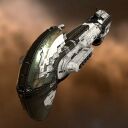
 |
Redeemer
Black Ops Armageddon Class
 High Amount of High SlotsHigh Amount of Low Slots High Amount of High SlotsHigh Amount of Low Slots 8 (0/5) 8 (0/5)  4 4  7 7
 17,000 MW 17,000 MW  505 tf 505 tf 117 m/sec 117 m/sec 800 m³ 800 m³ |
Editing The Ship Articles
(coming soon)