
More actions
Moved documentation from Template:TechCornerHuge |
mNo edit summary |
||
| Line 43: | Line 43: | ||
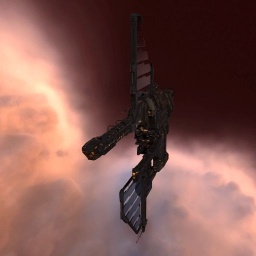
|{{Template:TechCornerHuge|F}}[[Image:Tempest.jpg|256px|link=]] | |{{Template:TechCornerHuge|F}}[[Image:Tempest.jpg|256px|link=]] | ||
|} | |} | ||
<includeonly>[[Category: | <includeonly>[[Category:Image templates]]</includeonly> | ||
<noinclude>[[Category:Template documentation]]</noinclude> | <noinclude>[[Category:Template documentation]]</noinclude> | ||
Latest revision as of 12:39, 15 March 2021
- Main article: Template:TechCornerHuge
This template adds a huge Tech icon to the image following this template. For this to work properly, the parent image must not be aligned. The recommended size for this is a 256 × 256 pixel icon.
Usage:
{{TechCornerHuge|…}}
The parameter is a single character defining the ship corner to be shown:
| Parameter | Icon | Notes |
| 2 | 
|
Tech 2 |
| 3 | 
|
Tech 3 |
| F | 
|
Faction |
| S | 
|
Storyline |
| D | 
|
Deadspace |
| O | 
|
Officer |
Example
{{Template:TechCornerHuge|F}}[[Image:Tempest.jpg|256px]]
|