
Al Pokriskin (talk | contribs) →Manual piloting and gunnery: removed dead links. Added a link to the official EVE Online animations on Combat Mechanics. |
Al Pokriskin (talk | contribs) Fix game mecanics changes and control changes |
||
| Line 4: | Line 4: | ||
This is meant to be a compilation of the various things that separate capsuleers from monkeys. There is more to piloting a ship than locking a target and pressing a button, after all. | This is meant to be a compilation of the various things that separate capsuleers from monkeys. There is more to piloting a ship than locking a target and pressing a button, after all. | ||
So, in a one on one fight between two equal ships, how do you get the upper hand and come away with the win? A similar question would be | So, in a one on one fight between two equal ships, how do you get the upper hand and come away with the win? A similar question would be: in a swarm of fifteen tacklers barrelling towards an enemy fleet, how do you keep yourself alive when frigates are popping all around you? | ||
| Line 14: | Line 14: | ||
=== Tactical overlay === | === Tactical overlay === | ||
The tactical overlay button ( | The tactical overlay button (to the left of your capacitor/health circle) puts range markers on your view of space (or, if you have it open, on your solar system map) so you can get a better sense of distance. If you mouse over one of your modules while in the tactical overlay, a circle will appear around your ship that shows the range of the module. (See the full [[tactical overlay]] article for more information.). | ||
=== Directional and probe scanner === | === Directional and probe scanner === | ||
The [[directional scanner]] is a tool on every ship which can scan a sphere with | The [[directional scanner]] is a tool on every ship which can scan a sphere or a cone with an adjustable radius of 0.1-14 AU from you. You can manipulate the scanning range and the direction of the scan from 360º to 180º all the way down to 5º to figure out where something is. | ||
Probe Scanner will scan the system (even if you don't have actual probes equipped) for Cosmic Signatures, Anomalies, Training Sites, Faction Warfare sites etc. Those are less advanced versions of the sites found with exploration. If you do have scan probes fitted, they will integrate to form a much more powerful scanner (see [[Probe scanning]] for more details). | Probe Scanner will scan the system (even if you don't have actual probes equipped) for Cosmic Signatures, Anomalies, Training Sites, Faction Warfare sites etc. Those are less advanced versions of the sites found with exploration. If you do have scan probes fitted, they will integrate to form a much more powerful scanner (see [[Probe scanning]] for more details). | ||
=== The overview === | === The overview === | ||
| Line 26: | Line 25: | ||
=== Throttle === | === Throttle === | ||
The velocity control (where your velocity is displayed) lets you manually choose what velocity you want to travel at | The velocity control (where your velocity is displayed) lets you manually choose what velocity you want to travel at by clicking at speedometer gauge (a tip will appear when you hover your mouse). {{button|Shift}} - {{button|Space}} will stop your ship as long as you are not in warp. If your warp drive is active, but you are still aligning, {{button|Shift}} - {{button|Space}} will stop you and cancel the warp. If you use a custom throttle velocity, you'll have to set it again after you jump through a Stargate, since it resets to full speed again. | ||
=== Double-click (manual piloting) === | === Double-click (manual piloting) === | ||
| Line 57: | Line 56: | ||
=== Jump === | === Jump === | ||
Pretty self-explanatory, you jump through the stargate if you are within 2,500 m. In order to jump | Pretty self-explanatory, you jump through the stargate if you are within 2,500 m. In order to automatically jump once you exit the warp you can press the button while in warp. Alternatively, instead of clicking Warp you click Jump in the first place; this will initiate warp automatically if the gate is in warp distance and jump on contact. | ||
=== Look at === | === Look at === | ||
This changes your camera’s anchor point from your ship to the selected object. You can use this to see where, if anywhere, another ship is aligning, and what kind of weapons it has equipped. Unfortunately | This changes your camera’s anchor point from your ship to the selected object. You can use this to see where, if anywhere, another ship is aligning, and what kind of weapons it has equipped. Unfortunately no all weapons show up, e.g. smartbombs (though the absence of turrets on a turret battleship is a good sign of smartbombs). | ||
=== Radial Menu === | |||
If you click and hold on an object in space or an element in a window, a [[Overview#Radial_Menu|Radial Menu]] will appear. Most of the actions discribed above will be available through the Radial Menu. This can be helpful in battle where you can, for example, orbit a ship by clicking on it in space. | |||
== General navigation == | == General navigation == | ||
| Line 75: | Line 77: | ||
So where does piloting come in? Well, for one thing you can pre-align your ship to a target so that you enter warp instantly, even in a massive ship. You need to move toward your warp destination and set your speed at or above 75% of your ship's max speed. Aligning and then stopping your ship does nothing. The direction your ship is facing does not matter. The game only cares about the direction your ship is '''moving'''. From a stop, it will accelerate in any direction at the same speed whether that direction is in front or behind the ship. Once aligned, if you need to warp out (run away), you will then warp instantly since the pre-reqs of 75% of your max speed and moving within 5° of the target direction will already be met. If you are in a frigate, you tend to orbit a lot and pre-aligning might not be practical. But in a larger ship in a dangerous situation, pre-aligning might save your hull. Some people will tell you to always be pre-aligned in combat. | So where does piloting come in? Well, for one thing you can pre-align your ship to a target so that you enter warp instantly, even in a massive ship. You need to move toward your warp destination and set your speed at or above 75% of your ship's max speed. Aligning and then stopping your ship does nothing. The direction your ship is facing does not matter. The game only cares about the direction your ship is '''moving'''. From a stop, it will accelerate in any direction at the same speed whether that direction is in front or behind the ship. Once aligned, if you need to warp out (run away), you will then warp instantly since the pre-reqs of 75% of your max speed and moving within 5° of the target direction will already be met. If you are in a frigate, you tend to orbit a lot and pre-aligning might not be practical. But in a larger ship in a dangerous situation, pre-aligning might save your hull. Some people will tell you to always be pre-aligned in combat. | ||
==== | ==== Warp trick when undocking ==== | ||
If you come out of a station in an industrial and align to something 90° away, you will have an agonizing wait while you make the turn at max velocity. This is because there are 2 ways that your ship can change speed (besides bumping). One is from the ships engines accelerating it in the direction it is aligning. This can be boosted by an Afterburner or MWD. The other is friction (or a sort of warp core drag according to EVE Lore<ref>"Power Enhanced Generator (PEG)" EVE Fanfest 2017 - The Physics Of New Eden https://youtu.be/fqQO0vY8VMk?t=964</ref>) that slows it down when you hit stop or reduce your speed. The problem is the amount of friction increases with speed so it slows quickly at high speeds but as you slow down the rate decreases. The last bit takes a very long time to stop since friction is very low at those speeds. | |||
You just came out of the station and are moving at high speed. Now you align to something 90° away. 100% of the engine's power starts accelerating the ship in the direction of the align point and after your normal align time your ship is now moving toward the warp destination near the appropriate speed. But the ship is also still drifting in the original direction. This means that the ship is actually moving at an angle and will not align until friction slows the ship from moving in the original direction. That process can take a long time. | |||
There are two ways to fix this: | There are two ways to fix this: | ||
# If you are in a ship that aligns quickly (like a shuttle) and there are hostiles on grid, you can hit stop ship. Note, when you have just undocked from a station, a [[Timers#Location_Change_Timer|Location Change Timer]] is triggered that makes you invulnerable for 30 seconds or until you move. As long as you do not do anything else but hit the stop ship button, it will not be possible target you for the hostiles for 30 seconds. Once the ship comes to a halt, warp out. This ends up taking about the same amount of time as simply aligning but it minimizes the time that you are targetable. | # If you are in a ship that aligns quickly (like a shuttle) and there are hostiles on grid, you can hit stop ship. Note, when you have just undocked from a station, a [[Timers#Location_Change_Timer|Location Change Timer]] is triggered that makes you invulnerable for 30 seconds or until you move. As long as you do not do anything else but hit the stop ship button, it will not be possible target you for the hostiles for 30 seconds. Once the ship comes to a halt, warp out. This ends up taking about the same amount of time as simply aligning but it minimizes the time that you are targetable. | ||
# The second way is faster. Rather than letting friction slow you down, you can double click toward the station (which makes you targetable) to let the engines stop you, then warp out once you are near zero velocity. | # The second way is faster. Rather than letting friction slow you down, you can double click toward the station (which makes you targetable) to let the engines stop you, then warp out once you are near zero velocity. A slightly faster way is to double click toward the station but at an angle toward the align point then warping when the ship stops moving away from the station. This method of using your engines to slow down then turning can be used for turning quickly in combat as well. | ||
The bottom line is that you should always be aware of how long it will take you to get to the safety of warp. Whether you’re hauling trade goods or at half structure in the middle of an enemy fleet, good warp awareness can come in really handy. | The bottom line is that you should always be aware of how long it will take you to get to the safety of warp. Whether you’re hauling trade goods or at half structure in the middle of an enemy fleet, good warp awareness can come in really handy. | ||
==== Speed awareness in alignment ==== | ==== Speed awareness in alignment ==== | ||
Another point to remember is that your required speed to align is always 75% of your '' | Another point to remember is that your required speed to align is always 75% of your ''ship's'' max velocity. Being webbed can sometimes help you get into warp faster, since it lowers your max velocity -- if you're piloting a freighter you can speed travel up by bringing a friend (within your corp, so they don't get CONCORDed) along to web you. This is also why tacklers are taught to 'point, then web'. | ||
Using a propulsion module (usually a MWD) can reduce your align time if it is normally more than the cycle time of the module (this can be the case, for example, with an MWD on the Orca). By pulsing the module once, the aim is to get past your normal align speed, even though your align speed with the module active is much higher. Once the cycle ends, your max speed (and the required align speed) will drop back down to normal and you should warp soon after. | Using a propulsion module (usually a MWD) can reduce your align time if it is normally more than the cycle time of the module (this can be the case, for example, with an MWD on the Orca). By pulsing the module once, the aim is to get past your normal align speed, even though your align speed with the module active is much higher. Once the cycle ends, your max speed (and the required align speed) will drop back down to normal and you should warp soon after. | ||
| Line 111: | Line 115: | ||
* the smaller your signature radius, the harder you are to hit with turrets (provided you move) and the less damage you take from missiles | * the smaller your signature radius, the harder you are to hit with turrets (provided you move) and the less damage you take from missiles | ||
So, given these facts how can you sway a fight in your favor? Well first you have to assess the situation and decide what angle you want to take. Are you better at | So, given these facts how can you sway a fight in your favor? Well first you have to assess the situation and decide what angle you want to take. Are you better at offence or defence? The relevant numbers are the time it will take you to beat your opponent’s tank versus the time it will take him to break your tank. Your only goal is to make that first time less than the second time, which you can do through increasing your applied DPS, or increasing your survivability. | ||
=== Engagement examples === | === Engagement examples === | ||
Revision as of 19:54, 10 June 2024
- See also: Manual piloting
|
| Navigation |
|---|
| Maps |
| Piloting |
| Autopilot |
| External links |
This is meant to be a compilation of the various things that separate capsuleers from monkeys. There is more to piloting a ship than locking a target and pressing a button, after all.
So, in a one on one fight between two equal ships, how do you get the upper hand and come away with the win? A similar question would be: in a swarm of fifteen tacklers barrelling towards an enemy fleet, how do you keep yourself alive when frigates are popping all around you?
Ship controls and tools
First things first, you should know what tools you have at your disposal.
Autopilot
The autopilot is capable of setting a route to one or more waypoint systems, and automatically flying your ship there. However it warps to all stargates at 10km,[1] so travel time is significantly greater than manual flight. You will also be a sitting duck for ship-scanners, or gatecamps if you decide to go into low-sec space with autopilot on, so for the purposes of this guide, keep it off! Besides, the whole point of this guide is that you can pilot your ship better than the computer. What the autopilot is most useful for is route-plotting.
Tactical overlay
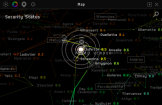
The tactical overlay button (to the left of your capacitor/health circle) puts range markers on your view of space (or, if you have it open, on your solar system map) so you can get a better sense of distance. If you mouse over one of your modules while in the tactical overlay, a circle will appear around your ship that shows the range of the module. (See the full tactical overlay article for more information.).
Directional and probe scanner
The directional scanner is a tool on every ship which can scan a sphere or a cone with an adjustable radius of 0.1-14 AU from you. You can manipulate the scanning range and the direction of the scan from 360º to 180º all the way down to 5º to figure out where something is.
Probe Scanner will scan the system (even if you don't have actual probes equipped) for Cosmic Signatures, Anomalies, Training Sites, Faction Warfare sites etc. Those are less advanced versions of the sites found with exploration. If you do have scan probes fitted, they will integrate to form a much more powerful scanner (see Probe scanning for more details).
The overview
The overview is the main source of information about what’s going on around you in space. If it’s set up properly, you should be able to play most of the game just by looking at overview information. I won’t go into the details of overview settings, but suffice to say they are very important. In this guide we’ll mostly be concerned with the overview's ability to display an object’s distance and velocity (including radial, transversal, and angular components). In addition, by looking at the ship icons in the overview, you can tell whether you have been locked onto (flashing yellow targeting box), or have been attacked (solid red box).
Throttle
The velocity control (where your velocity is displayed) lets you manually choose what velocity you want to travel at by clicking at speedometer gauge (a tip will appear when you hover your mouse). Shift - Space will stop your ship as long as you are not in warp. If your warp drive is active, but you are still aligning, Shift - Space will stop you and cancel the warp. If you use a custom throttle velocity, you'll have to set it again after you jump through a Stargate, since it resets to full speed again.
Double-click (manual piloting)
Double clicking in space sends your ship in the direction you clicked. If you imagine, from the perspective of the camera, a vector shooting out from the middle of the screen, the horizontal and vertical angles are determined by where you click on the screen, and the depth component is determined by which way the camera is facing.
Board ship
If you are in a capsule and there is an empty ship in space, you can click the Board Ship button to take control of the vessel.
Approach
The approach button simply aligns your ship in the direction of the selected object and increases your velocity to the velocity you’ve set in the throttle. This maximizes your radial velocity and minimizes your transversal velocity. This is the same as the “align to” command, but “align to” is used for objects at warp distances, and approach used for objects at subwarp distances (less than 150 km).
Orbit
The orbit button tries to put your ship in a circular orbit around the selected object. The value can be set by right clicking and manually entering a default orbit distance, or by right-clicking the object in the overview and choosing from some preset distances. You can also orbit an object at your current range from it. Orbiting maximizes your transversal and angular velocities, and minimizes your radial velocity. You can orbit an object if it is on grid with you.
Your ship’s agility will determine your orbit speed: the better your agility (lower agility modifier), the closer your orbit speed will be to your maximum linear velocity. Depending on your agility and the relative speeds of you and the target, your orbit may drop from circular to elliptical, or even to the point where you can’t maintain a stable orbit if the other object is moving too fast.
Keep at range
This draws a line between your ship and the selected object, and adjusts your ship velocity to move you backward or forward along that line in order to maintain the selected range. Like orbit, the default value can be set by right clicking the icon, or you can choose from presets in the right-click menu. Keeping something at range will minimize your radial, transversal, and angular velocities.
Warp
Starts the process of warping to the selected object greater than 150 km away. To warp to something it must be an object in space, a bookmark, or a ship in your fleet. You can adjust how far you will land from your target when you come out of warp, from 0 to 100 km. Again the default value on the button can be changed by right-clicking and presets can be found in the right-click menu. For example, warping to something 150 km away within 100 km will move you inline toward the object 50 km.
When you press the warp button, first you have to align to the target. There are two steps to aligning which happen at the same time:
- lining up the target with your ship’s movement direction within 5º
- increasing ship velocity to 75% of its maximum
Your ship will not warp until it meets both of these criteria.
How long this process takes depends on your ship's agility and acceleration. Once you are aligned you will see your normal engines cut out, your warp engine will turn on and you will no longer be able to stop the ship until the warp bubble collapses. Until your warp engine actually turns on, you can still be locked, tackled, bumped and fired upon as normal.
Jump
Pretty self-explanatory, you jump through the stargate if you are within 2,500 m. In order to automatically jump once you exit the warp you can press the button while in warp. Alternatively, instead of clicking Warp you click Jump in the first place; this will initiate warp automatically if the gate is in warp distance and jump on contact.
Look at
This changes your camera’s anchor point from your ship to the selected object. You can use this to see where, if anywhere, another ship is aligning, and what kind of weapons it has equipped. Unfortunately no all weapons show up, e.g. smartbombs (though the absence of turrets on a turret battleship is a good sign of smartbombs).
Radial Menu
If you click and hold on an object in space or an element in a window, a Radial Menu will appear. Most of the actions discribed above will be available through the Radial Menu. This can be helpful in battle where you can, for example, orbit a ship by clicking on it in space.
Warping and alignment
Warping is critically important for moving around space, and manual piloting of your ship has a big impact on how well the warp drive will work, meaning how quickly you can enter warp.
When you press the warp button, several things happen. Your ship begins to align to the warp-to point. You lose a certain amount of energy from your capacitor based on skills and the distance of the jump (if you cancel the warp at this stage the energy is still lost). Once you are aligned, you warp to your destination, accelerating up to, and then decelerating down from, your ship’s warp speed.
Pods align instantly, and shuttles nearly so (2 seconds). So if you are paying attention, and have no lag, it is nearly impossible for you to be locked before you warp in these vessels (especially because their signature radius, a ship parameter affecting the attempted locking time, is of the smallest). Frigates have a typical align time of 3-5 s, cruisers might be more like 7-9 s, and battleships, industrials, and larger ships can take 20, 30, or more seconds to align for warp.
Your align time depends on your mass. Higher mass makes it harder to accelerate, decelerate, and turn the ship. Every ship has an agility modifier, which you multiply with the mass to get an “effective mass” that determines how agile your ship really is. Modules like nanofibers or inertial stabilizers reduce your agility modifier and therefore reduce your align time. In-game Fitting window or external tools such as PYFA can give you an approximate align time for your ship loadout.
So where does piloting come in? Well, for one thing you can pre-align your ship to a target so that you enter warp instantly, even in a massive ship. You need to move toward your warp destination and set your speed at or above 75% of your ship's max speed. Aligning and then stopping your ship does nothing. The direction your ship is facing does not matter. The game only cares about the direction your ship is moving. From a stop, it will accelerate in any direction at the same speed whether that direction is in front or behind the ship. Once aligned, if you need to warp out (run away), you will then warp instantly since the pre-reqs of 75% of your max speed and moving within 5° of the target direction will already be met. If you are in a frigate, you tend to orbit a lot and pre-aligning might not be practical. But in a larger ship in a dangerous situation, pre-aligning might save your hull. Some people will tell you to always be pre-aligned in combat.
Warp trick when undocking
If you come out of a station in an industrial and align to something 90° away, you will have an agonizing wait while you make the turn at max velocity. This is because there are 2 ways that your ship can change speed (besides bumping). One is from the ships engines accelerating it in the direction it is aligning. This can be boosted by an Afterburner or MWD. The other is friction (or a sort of warp core drag according to EVE Lore[2]) that slows it down when you hit stop or reduce your speed. The problem is the amount of friction increases with speed so it slows quickly at high speeds but as you slow down the rate decreases. The last bit takes a very long time to stop since friction is very low at those speeds.
You just came out of the station and are moving at high speed. Now you align to something 90° away. 100% of the engine's power starts accelerating the ship in the direction of the align point and after your normal align time your ship is now moving toward the warp destination near the appropriate speed. But the ship is also still drifting in the original direction. This means that the ship is actually moving at an angle and will not align until friction slows the ship from moving in the original direction. That process can take a long time. There are two ways to fix this:
- If you are in a ship that aligns quickly (like a shuttle) and there are hostiles on grid, you can hit stop ship. Note, when you have just undocked from a station, a Location Change Timer is triggered that makes you invulnerable for 30 seconds or until you move. As long as you do not do anything else but hit the stop ship button, it will not be possible target you for the hostiles for 30 seconds. Once the ship comes to a halt, warp out. This ends up taking about the same amount of time as simply aligning but it minimizes the time that you are targetable.
- The second way is faster. Rather than letting friction slow you down, you can double click toward the station (which makes you targetable) to let the engines stop you, then warp out once you are near zero velocity. A slightly faster way is to double click toward the station but at an angle toward the align point then warping when the ship stops moving away from the station. This method of using your engines to slow down then turning can be used for turning quickly in combat as well.
The bottom line is that you should always be aware of how long it will take you to get to the safety of warp. Whether you’re hauling trade goods or at half structure in the middle of an enemy fleet, good warp awareness can come in really handy.
Speed awareness in alignment
Another point to remember is that your required speed to align is always 75% of your ship's max velocity. Being webbed can sometimes help you get into warp faster, since it lowers your max velocity -- if you're piloting a freighter you can speed travel up by bringing a friend (within your corp, so they don't get CONCORDed) along to web you. This is also why tacklers are taught to 'point, then web'.
Using a propulsion module (usually a MWD) can reduce your align time if it is normally more than the cycle time of the module (this can be the case, for example, with an MWD on the Orca). By pulsing the module once, the aim is to get past your normal align speed, even though your align speed with the module active is much higher. Once the cycle ends, your max speed (and the required align speed) will drop back down to normal and you should warp soon after.
When you combine MWD use with a protoype/covops cloak, then you can use the MWD+cloak trick to align while cloaked, providing much better security in some situations.
“Warp within” and bookmarks
Where you come out of warp is critical. As discussed above, autopilot is bad because you come out of warp so far from the gate that you cannot jump immediately. If you warp to 0 km on a gate, you’ll land within jump range, which is crucial if you want to avoid confrontation.
Likewise if you’re warping to a hostile gate, you’ll be at a decisive advantage if you drop out of warp at your optimal range. The easiest way to do this is by warping within X km, where X is your optimal range. Remember you can set X to anything between 0 and 100 km by right-clicking on the warp icon. If you have bookmarks around the gate you have even more options for recon, or for warping past the gate, or somewhere unexpected.
One last thing about warp within: if you warp to a cloaked ship in your own fleet, never warp to 0 because that will break their cloak and leave them vulnerable. Warp to no closer than 5 km.
Manual piloting and gunnery
The second major topic has to do with tracking mechanics. Damage from both turrets and missiles is affected by how the ships are moving. You can read about the details of tracking here; and you can read about the details of missile damage here.
A tutorial with helpful animations can be found on the EVE Online official web site Combat Mechanics page [3].
A boiled down summary:
- the higher your angular velocity, the harder you are to hit with turrets.
- the higher your absolute velocity, the less damage you take from missiles.
- the smaller your signature radius, the harder you are to hit with turrets (provided you move) and the less damage you take from missiles
So, given these facts how can you sway a fight in your favor? Well first you have to assess the situation and decide what angle you want to take. Are you better at offence or defence? The relevant numbers are the time it will take you to beat your opponent’s tank versus the time it will take him to break your tank. Your only goal is to make that first time less than the second time, which you can do through increasing your applied DPS, or increasing your survivability.
Engagement examples
The following examples will provide a practical insight:
Two identical frigates: artillery vs autocannon
The pilot using artillery knows that artillery does less damage per second (DPS) than autocannon. But if he can maintain a range of 20 km, he knows that he can damage his opponent while his opponent's autocannon can't damage him: the artillery will win in the end. So he can set his orbit to 20 km, or if he wants to do more damage, he can keep him at a 20 km range so that the angular velocity goes down and the artillery track more easily.
The autocannon pilot knows he has to get up close in order to do any damage. Once he's there, if he goes into orbit he’ll have maximized his angular velocity and will probably avoid all the fire from the slow-tracking artillery, while applying lots of DPS from his fast-tracking autocannon.
You might notice that in this situation, whoever has the higher speed and agility is going to have a decisive advantage: they will control the range of the fight so their guns are doing maximum damage, and they will be able to set an orbit around the other ship such that they will take minimum damage.
If you are the slower ship in this situation, it’s an uphill battle but it’s not over. Taking another example:
A frigate vs a cruiser
The frigate pilot knows that he won’t last long if he lets the cruiser's medium guns track him with low angular velocity. But he also knows that his defense will be very high if he can get under the cruiser's guns by establishing a close orbit.
Getting in close without getting hit is a problem though. The best technique for frigate pilots to do this is to 'spiral in' on the target rather than simply approaching directly.
The cruiser pilot knows that medium weapons struggle to properly hit the frigate –- and the frigate will have the speed advantage, and so can make itself very hard to track. But there are a couple of options. One is to deploy drones, which have a much easier time tracking and orbiting fast ships. Another is to minimize the transversal so that he can get some good hits off. As the frigate is approaching, he can try to keep at range to keep angular velocity low.
Even if the frigate successfully gets into a close orbit around the cruiser, it’s not over yet. If the cruiser has a decent velocity it can make the frigate's orbit elliptical: and when the frigate goes around the narrow ends of the oval its transversal will be lower than average. Changing directions frequently and sudden bursts of speed from a pulsed overheated propulsion module will also make the frigate adjust its orbit and possibly lower its traversal.
This works even better if the cruiser pilot times his direction/velocity changes well: for example, as the frigate is moving across the top of the cruiser pilot's screen to the left in his orbit, the cruiser pilot can make a quick right turn and this will make the frigate chase the cruiser –- with low angular velocity –- for a little while.
A cruiser in a L4 mission
Let's assume for fun you're in an autocannon ship and all the enemies are turret based as well. You might be suicidal running a L4 mission in a cruiser but this is just a thought experiment. First thing in a close range heavy fire situation: always keep moving. You'd want to have an afterburner on constantly. Next you'd have to figure out what was doing the most damage. It might not be a battleship -- a lot of that damage is reduced because of the size difference. It might be an elite cruiser. Whatever it is, you'd orbit it to minimize the damage. Then you'd set your drones on the frigates that are warp jamming or webbing you, and, using the overview, pick out ships that have a low angular velocity to attack.
Now obviously you'd want a massive tank (a HAC or a T3, perhaps?) to actually pull this off. But the point of this is twofold: a lot of these maneuvers will fail in missions because there are just too many ships and well..have you seen the last scene in "Butch Cassidy and the Sundance Kid"? Just like in other games, pilot skill is going to shine more in small gang or solo fights.
The second thing is that long range weapons are often really good for PvE. By staying at long range using missiles, beam lasers, railguns, artillery or drones, you avoid a lot of short-range turret-based DPS and the enemies present themselves in sub-waves separated by the different times they take to get close to you.
Bumping
Bumping is basically the act of throwing your ship directly at an opponent at high speed, to turn his ship around and mess up any aligning or movement he’s trying to do. (You're welcome to shout 'Ramming speed!' while doing this, provided you don't do so over Mumble . . .) The faster and more massive your ship is, the better: Machariels and Stabbers with battleship-sized MWDs fitted (you'll probably want some Reactor Control Units to get enough grid) work nicely.
The goal of bumping is to delay a slowly-aligning ship from entering warp (though after 3 minutes of attempting to align, the ship will automatically jump. This timer can be reset by any effect that disrupts the ability to warp - i.e. scrams and bubbles). They can also, together with webs, delay a ship which is trying to burn back to a gate after jumping into a gatecamp.
Use of modules
Knowing what your modules can do -- their ranges (cold and overheated), the amount of capacitor they're likely to use up, and their effects -- is very important. Even better, know your enemies modules and what they’re capable of. Use the Look At button to see if that guy has artilleries or autocannons. Figure out from their speed in your overview if they’re using an AB or MWD. Once you have some experience, you can often deduce how your opponents will behave if you know which kind of propulsion module and which weapons they're using.
Overheating modules
The Thermodynamics skill lets you overheat modules, at the cost of damaging them. Usually this just gets you more oomph -- more DPS from guns, stronger jam strength on ECM jammers, &c -- but overheating webs, warp disruptors and warp scramblers increases their range, letting you catch the enemy earlier, or hold them at a longer range for a short while. You can read a detailed guide to overheating here.
Pre-activating modules
If you are in the middle of locking someone, you can activate your modules and they’ll instantly turn on when you’ve completed the lock. This can make the difference between a tackled target and a free target.
References
- ^ https://www.eveonline.com/news/view/warp-drive-active-warp-speed-changes-now-live
- ^ "Power Enhanced Generator (PEG)" EVE Fanfest 2017 - The Physics Of New Eden https://youtu.be/fqQO0vY8VMk?t=964
- ^ https://www.eveonline.com/eve-academy/ships/combat-mechanics