
More actions
Reise amatin (talk | contribs) |
Reise amatin (talk | contribs) No edit summary |
||
| Line 3: | Line 3: | ||
Click "Notes" within each fitting to learn about the purpose of each module. Click "Skills" and "Fleet-Up" to learn how to upgrade modules as your in-game skills improve. | Click "Notes" within each fitting to learn about the purpose of each module. Click "Skills" and "Fleet-Up" to learn how to upgrade modules as your in-game skills improve. | ||
The | The best way to learn PvP is by trying it! Let's die gloriously together! | ||
{{quote|1=If your screen goes white and you see yourself floating in space, do not be troubled. You are in station, and you're already dead! -- [https://forum.eveuniversity.org/viewtopic.php?f=186&t=93944 Winter Alabel]}} | {{quote|1=If your screen goes white and you see yourself floating in space, do not be troubled. You are in station, and you're already dead! -- [https://forum.eveuniversity.org/viewtopic.php?f=186&t=93944 Winter Alabel]}} | ||
You are encouraged to discuss improvements to the Newbie Doctrine on the [https://forum.eveuniversity.org/viewtopic.php?f=31&t=94611| E-UNI forum thread]. Fittings should be accessible to pilots with [[Starting_Skills|starting skills]]. | |||
== Pre-Fleet Checklist == | == Pre-Fleet Checklist == | ||
{{main|The Rookie's Guide To Fleet Ops}} | {{main|The Rookie's Guide To Fleet Ops}} | ||
#'''Join a Fleet''' <br>Check the in-game calendar to see when upcoming fleets are scheduled. You can join a fleet by navigating in the Neocom: E in top-left corner of screen > Social > Fleet. You can also attend a [[Fleets_101|Fleets 101]] course, typically held at least once a month.<br><br> | #'''Join a Fleet''' <br>Check the in-game calendar to see when upcoming fleets are scheduled. You can join a fleet by navigating in the Neocom: E in top-left corner of screen > Social > Fleet. You can also attend a [[Fleets_101|Fleets 101]] course, typically held at least once a month.<br><br> | ||
#'''Join the Fleet's Mumble Channel''' <br>Fleet Commanders use [[Mumble]] to communicate important information. You are encouraged to ask questions in Mumble before and during a fleet operation.<br><br> | #'''Join the Fleet's Mumble Channel''' <br>Fleet Commanders (FCs) use [[Mumble]] to communicate important information. You are encouraged to ask questions in Mumble before and during a fleet operation.<br><br> | ||
#'''Prepare to be Podded''' <br>If you have [[Implants|implants]], either make sure you can afford to lose them or get into a [[Jump Clones|jump clone]]. While you should always be [[How to save your Pod|prepared to be podded]], this should rarely occur in [[System_Security#High_Security|high-sec]] or [[System_Security#Low_Security|low-sec]] battles. Be sure you are familiar with the "Pod Saver" tab on your [[Overview|overview]].<br><br> | #'''Prepare to be Podded''' <br>If you have [[Implants|implants]], either make sure you can afford to lose them or get into a [[Jump Clones|jump clone]]. While you should always be [[How to save your Pod|prepared to be podded]], this should rarely occur in [[System_Security#High_Security|high-sec]] or [[System_Security#Low_Security|low-sec]] battles. Be sure you are familiar with the "Pod Saver" tab on your [[Overview|overview]].<br><br> | ||
#'''Choose Your Role'''<br>The primary roles in a fleet are: | #'''Choose Your Role'''<br>The primary roles in a fleet are: | ||
##[[Newbie_Doctrine#Tackle|Tackle]] - <i>New pilots can fly tackling ships without any skill training!</i> | ##[[Newbie_Doctrine#Tackle|Tackle]] - <i>New pilots can fly tackling ships without any additional skill training!</i> | ||
##[[Newbie_Doctrine#EWAR|Electronic | ##[[Newbie_Doctrine#EWAR|Electronic WARfare (EWAR)]] | ||
##Damage Dealer (DD) | ##Damage Dealer (DD) | ||
##Logistics ( | ##Logistics (Logi - healer ships)<br><br>>> The FC will typically dictate what DD and Logi ships are going to be used, and will sometimes also dictate the type of EWAR boats. Having all pilots fly in the same ships is known as a Doctrine, and allows the FC to better understand the strengths and weaknesses of the fleet, which allows for easier target selection with more favorable odds.<br><br> | ||
#'''Fly what you can afford to lose.'''<br>This is often cited as the first rule of EVE Online. All the ships in the Newbie Doctrine are designed with this principle in mind.<br><br> | #'''Fly what you can afford to lose.'''<br>This is often cited as the first rule of EVE Online. All the ships in the Newbie Doctrine are designed with this principle in mind.<br><br> | ||
#'''Load Your Ship'''<br>Check that all the modules on your ship are fitted and powered on. Check that your ship is loaded with ammunition, drones, and Nanite Repair Paste as needed.<br><br> | #'''Load Your Ship'''<br>Check that all the modules on your ship are fitted and powered on. Check that your ship is loaded with ammunition, drones, and Nanite Repair Paste as needed.<br><br> | ||
#'''Insure Your Ship'''<br>Ships should | #'''Insure Your Ship'''<br>T1 Ships should always be insured before fleet operations. Platinum, the highest level of insurance, is generally the correct choice. Members of EVE University can obtain additional reimbursement for lost ships through the the [[Ship Replacement Program]] (SRP).<br><br> | ||
#'''Rename Your Ship'''<br>The default ship name is "<Player's Name> <Ship Name>"; this will make it much easier for enemies to identify and locate you via [[Directional_Scanner_Guide|D-Scan]]. Rename your ship to something that cannot be associated with your name or EVE University.<br><br> | #'''Rename Your Ship'''<br>The default ship name is "<Player's Name> <Ship Name>"; this will make it much easier for enemies to identify and locate you via [[Directional_Scanner_Guide|D-Scan]]. Rename your ship to something that cannot be associated with your name or EVE University.<br><br> | ||
Revision as of 03:02, 20 May 2018
The Newbie Doctrine is a repertoire of ships that empowers new pilots to make valuable contributions to a PvP fleet without any skill training. Fleet Commanders can use the Newbie Doctrine as an add-on to their doctrines, encouraging new pilots to participate in PvP fleet operations. As pilots improve their skills (and can afford to lose better ships), they are encouraged to reference the more advanced fittings within EVE University's Fleet-Up group.
Click "Notes" within each fitting to learn about the purpose of each module. Click "Skills" and "Fleet-Up" to learn how to upgrade modules as your in-game skills improve.
The best way to learn PvP is by trying it! Let's die gloriously together!
| “ | If your screen goes white and you see yourself floating in space, do not be troubled. You are in station, and you're already dead! -- Winter Alabel | ” |
You are encouraged to discuss improvements to the Newbie Doctrine on the E-UNI forum thread. Fittings should be accessible to pilots with starting skills.
Pre-Fleet Checklist
- Main article: The Rookie's Guide To Fleet Ops
- Join a Fleet
Check the in-game calendar to see when upcoming fleets are scheduled. You can join a fleet by navigating in the Neocom: E in top-left corner of screen > Social > Fleet. You can also attend a Fleets 101 course, typically held at least once a month. - Join the Fleet's Mumble Channel
Fleet Commanders (FCs) use Mumble to communicate important information. You are encouraged to ask questions in Mumble before and during a fleet operation. - Prepare to be Podded
If you have implants, either make sure you can afford to lose them or get into a jump clone. While you should always be prepared to be podded, this should rarely occur in high-sec or low-sec battles. Be sure you are familiar with the "Pod Saver" tab on your overview. - Choose Your Role
The primary roles in a fleet are:- Tackle - New pilots can fly tackling ships without any additional skill training!
- Electronic WARfare (EWAR)
- Damage Dealer (DD)
- Logistics (Logi - healer ships)
>> The FC will typically dictate what DD and Logi ships are going to be used, and will sometimes also dictate the type of EWAR boats. Having all pilots fly in the same ships is known as a Doctrine, and allows the FC to better understand the strengths and weaknesses of the fleet, which allows for easier target selection with more favorable odds.
- Fly what you can afford to lose.
This is often cited as the first rule of EVE Online. All the ships in the Newbie Doctrine are designed with this principle in mind. - Load Your Ship
Check that all the modules on your ship are fitted and powered on. Check that your ship is loaded with ammunition, drones, and Nanite Repair Paste as needed. - Insure Your Ship
T1 Ships should always be insured before fleet operations. Platinum, the highest level of insurance, is generally the correct choice. Members of EVE University can obtain additional reimbursement for lost ships through the the Ship Replacement Program (SRP). - Rename Your Ship
The default ship name is "<Player's Name> <Ship Name>"; this will make it much easier for enemies to identify and locate you via D-Scan. Rename your ship to something that cannot be associated with your name or EVE University.
Tackle
- Main article: Tackling Guide
Tacklers use Warp Disruptors, Warp Scramblers, and Stasis Webifiers to ensnare a target enemy, preventing them from warping away during a fight. Tacklers play a crucial role in any fleet, enabling Damage Dealers to destroy trapped enemies. Fleet Commanders can never have too many tacklers and are always excited to help new players swarm targets. The biggest difference between the Scout/Fast Tackle and the Tackle/Small Gang fits is one of range. The Scout/Fast Tackle fits use Warp Disruptors ("point") and Nanofiber Structures to operate at distances of 15 - 20 km from the enemy. The Tackle/Small Gang fits are designed to operate in close, under 2 km typically, and use the shorter range Warp Scramblers ("scram"). Ask the FC which you should bring if you are unsure.
| “ | A Derptron operator will only have to push three buttons to be effective: the "Go Fast" button, the "Catch the Other Guy" button, and then the "Shoot" button. -- FearlessLittleToaster | ” |
Scout / Fast Tackle
These fittings utilize the speed of an Attack Frigate and the long range of a warp disruptor, commonly referred to as a "point", to tackle enemy ships and maintain range (a "kiting" style of fighting). New players in EVE University often use fittings similar to these while learning how to be a Scout.
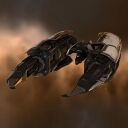
Amarr Scout/Fast Tackle

|
Executioner
Standard Frigates Executioner Class
 4 (0/3) 4 (0/3)  3 3  3 3
 45 MW 45 MW  140 tf 140 tf 410 m/sec 410 m/sec 115 m³ 115 m³ |
|
|
Executioner
Standard Frigates Executioner Class
4 (0/3) 3 3
45 MW 140 tf410 m/sec115 m³ |
5MN Quad LiF Restrained Microwarpdrive
Medium Azeotropic Restrained Shield Extender
Faint Scoped Warp Disruptor
Damage Control I
Type-D Restrained Overdrive Injector
Type-D Restrained Nanofiber Structure
Small Anti-EM Screen Reinforcer I
Small Anti-EM Screen Reinforcer I
Small Anti-Thermal Screen Reinforcer I


- Can be flown by a pilot with starting skills and Amarr Frigate I.
- Training Propulsion Jamming II will enable use of the Warp Disruptor II module.
- Training Hull Upgrades IV will enable use of the Damage Control II module.
- Training Shield Upgrades IV will enable use of the Medium Shield Extender II module.
- Pilot should approach with microwarpdrive (MWD) activated, spiraling in on heavy (Cruiser +) targets
- Deactivate MWD and activate Warp Disruptor and Tracking Disruptor when in range
- Maintain a distance of 16 - 18 km (set your target to "Keep At Range")
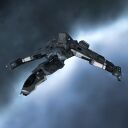
Caldari Scout/Fast Tackle
|
Condor
Standard Frigates Condor Class
4 (3/0) 4 2
35 MW 185 tf400 m/sec130 m³ |
|
|
Condor
Standard Frigates Condor Class
4 (3/0) 4 2
35 MW 185 tf400 m/sec130 m³ |
5MN Quad LiF Restrained Microwarpdrive
Medium Azeotropic Restrained Shield Extender
Faint Scoped Warp Disruptor
DDO Scoped Tracking Disruptor I
Damage Control I
Type-D Restrained Nanofiber Structure
Small Core Defense Field Extender I
Small Anti-EM Screen Reinforcer I
Small Anti-Thermal Screen Reinforcer I
Optimal Range Disruption Script x1
Tracking Speed Disruption Script x1


- Can be flown by a pilot with starting skills and Caldari Frigate I.
- Training Propulsion Jamming II will enable use of the Warp Disruptor II module.
- Training Hull Upgrades IV will enable use of the Damage Control II module.
- Training Shield Upgrades IV will enable use of the Medium Shield Extender II module.
- Pilot should approach with microwarpdrive (MWD) activated, spiraling in on heavy (Cruiser +) targets
- Deactivate MWD and activate Warp Disruptor and Tracking Disruptor when in range
- Maintain a distance of 16 - 18 km (set your target to "Keep At Range")
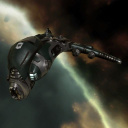
Gallente Scout/Fast Tackle
|
Atron
Standard Frigates Atron Class
 Entry-Level Tackle Frigate4 (0/3) 3 3
37 MW 147 tf420 m/sec145 m³ Entry-Level Tackle Frigate4 (0/3) 3 3
37 MW 147 tf420 m/sec145 m³ |
|
|
Atron
Standard Frigates Atron Class
Entry-Level Tackle Frigate4 (0/3) 3 3
37 MW 147 tf420 m/sec145 m³ |
5MN Quad LiF Restrained Microwarpdrive
Medium Azeotropic Restrained Shield Extender
Faint Scoped Warp Disruptor
Damage Control I
Type-D Restrained Overdrive Injector
Type-D Restrained Nanofiber Structure
Small Anti-EM Screen Reinforcer I
Small Anti-EM Screen Reinforcer I
Small Anti-Thermal Screen Reinforcer I
- Can be flown by a pilot with starting skills and Gallente Frigate I.
- Training Propulsion Jamming II will enable use of the Warp Disruptor II module.
- Training Hull Upgrades IV will enable use of the Damage Control II module.
- Training Shield Upgrades IV will enable use of the Medium Shield Extender II module.
- Pilot should approach with microwarpdrive (MWD) activated, spiraling in on heavy (Cruiser +) targets
- Deactivate MWD and activate Warp Disruptor when in range
- Maintain a distance of 16 - 18 km (set your target to "Keep At Range")
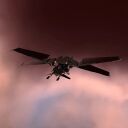
Minmatar Scout/Fast Tackle
|
Slasher
Standard Frigates Slasher Class
4 (0/3) 4 2
36 MW 140 tf430 m/s120 m³ |
|
|
Slasher
Standard Frigates Slasher Class
4 (0/3) 4 2
36 MW 140 tf430 m/s120 m³ |
5MN Y-T8 Compact Microwarpdrive
Medium Azeotropic Restrained Shield Extender
Faint Scoped Warp Disruptor
DDO Scoped Tracking Disruptor I
Damage Control I
Type-D Restrained Nanofiber Structure
Small Anti-EM Screen Reinforcer I
Small Anti-Thermal Screen Reinforcer I
Small Core Defense Field Extender I
Optimal Range Disruption Script x1
Tracking Speed Disruption Script x1

- Can be flown by a pilot with starting skills and Minmatar Frigate I.
- Training Propulsion Jamming II will enable use of the Warp Disruptor II module.
- Training Hull Upgrades IV will enable use of the Damage Control II module.
- Training Shield Upgrades IV will enable use of the Medium Shield Extender II module.
- Pilot should approach with microwarpdrive (MWD) activated, spiraling in on heavy (Cruiser +) targets
- Deactivate MWD and activate Warp Disruptor and Tracking Disruptor when in range
- Maintain a distance of 16 - 18 km (set your target to "Keep At Range")
Tackle/Small Gang
These fittings utilize the speed of an Attack Frigate combined with a MicroWarpDrive (MWD) to close with the enemy very rapidly (a "brawling" style of fighting). The Tackle then uses its Warp Scrambler and (if equipped) Stasis Webifier to prevent the enemy from escaping. If the enemy ship is a Cruiser or larger ship, the capsuleer should not approach straight on, but should instead spiral in to maintain high transversal and mitigate potentially lethal one-shot damage from the larger ships weapons.
Amarr Tackle/Small Gang
|
|
Executioner
Standard Frigates Executioner Class
4 (0/3) 3 3
45 MW 140 tf410 m/sec115 m³ |
|
|
Executioner
Standard Frigates Executioner Class
4 (0/3) 3 3
45 MW 140 tf410 m/sec115 m³ |
Dual Modulated Pulse Energy Beam I
Dual Modulated Pulse Energy Beam I
Dual Modulated Pulse Energy Beam I
5MN Quad LiF Restrained Microwarpdrive
Medium Azeotropic Restrained Shield Extender
Faint Epsilon Scoped Warp Scrambler
Damage Control I
Type-D Restrained Overdrive Injector
Micro Auxiliary Power Core I
Small Anti-EM Screen Reinforcer I
Small Anti-EM Screen Reinforcer I
Small Anti-Thermal Screen Reinforcer I
Imperial Navy Multifrequency S x2


- Can be flown by a pilot with starting skills and Amarr Frigate I.
- Training Propulsion Jamming II will enable use of the Warp Scrambler II module.
- Training Hull Upgrades IV will enable use of the Damage Control II module.
- Training Shield Upgrades IV will enable use of the Medium Shield Extender II module.
- Faction ammo is preferred for PvP when using T1 weapons.
- Pilot should approach with microwarpdrive (MWD) activated, orbit at 500, turn off MWD
- Activate Warp Scrambler when in range
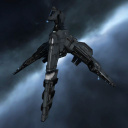
Caldari Tackle/Small Gang
|
Merlin
Standard Frigates Merlin Class
3 (0/3) 4 3
40 MW 180 tf310 m/sec150 m³ |
|
|
Merlin
Standard Frigates Merlin Class
3 (0/3) 4 3
40 MW 180 tf310 m/sec150 m³ |
Modal Light Electron Particle Accelerator I
Modal Light Electron Particle Accelerator I
Modal Light Electron Particle Accelerator I
5MN Quad LiF Restrained Microwarpdrive
Medium Azeotropic Restrained Shield Extender
Faint Epsilon Scoped Warp Scrambler
X5 Enduring Stasis Webifier
Damage Control I
Vortex Compact Magnetic Field Stabilizer
Micro Auxiliary Power Core I
Small Anti-EM Screen Reinforcer I
Small Anti-Thermal Screen Reinforcer I
Small Core Defense Field Extender I
Caldari Navy Antimatter Charge S x1200


- Can be flown by a pilot with starting skills and Caldari Frigate I.
- Training Propulsion Jamming II will enable use of the Warp Scrambler II module.
- Training Propulsion Jamming IV will enable use of the Stasis Webifier II module.
- Training Hull Upgrades IV will enable use of the Damage Control II module.
- Training Shield Upgrades IV will enable use of the Medium Shield Extender II module.
- Faction ammo is preferred for PvP when using T1 weapons.
- Pilot should approach with microwarpdrive (MWD) activated, orbit at 500, turn off MWD
- Activate Warp Scrambler and Stasis Webifier when in range
Gallente Tackle/Small Gang
|
|
Atron
Standard Frigates Atron Class
Entry-Level Tackle Frigate4 (0/3) 3 3
37 MW 147 tf420 m/sec145 m³ |
|
|
Atron
Standard Frigates Atron Class
Entry-Level Tackle Frigate4 (0/3) 3 3
37 MW 147 tf420 m/sec145 m³ |
Modal Light Electron Particle Accelerator I
Modal Light Electron Particle Accelerator I
Modal Light Electron Particle Accelerator I
5MN Quad LiF Restrained Microwarpdrive
Medium Azeotropic Restrained Shield Extender
Faint Epsilon Scoped Warp Scrambler
Damage Control I
Type-D Restrained Overdrive Injector
Micro Auxiliary Power Core I
Small Anti-EM Screen Reinforcer I
Small Anti-EM Screen Reinforcer I
Small Anti-Thermal Screen Reinforcer I
Federation Navy Antimatter Charge S x1200

- Can be flown by a pilot with starting skills and Gallente Frigate I.
- Training Propulsion Jamming II will enable use of the Warp Scrambler II module.
- Training Hull Upgrades II will enable use of the Overdrive Injector System II module.
- Training Hull Upgrades IV will enable use of the Damage Control II module.
- Training Shield Upgrades IV will enable use of the Medium Shield Extender II module.
- Faction ammo is preferred for PvP when using T1 weapons.
- Pilot should approach with microwarpdrive (MWD) activated, orbit at 500, turn off MWD
- Activate Warp Scrambler when in range
Minmatar Tackle/Small Gang
|
|
Slasher
Standard Frigates Slasher Class
4 (0/3) 4 2
36 MW 140 tf430 m/s120 m³ |
|
|
Slasher
Standard Frigates Slasher Class
4 (0/3) 4 2
36 MW 140 tf430 m/s120 m³ |
125mm Light 'Scout' Autocannon I, Republic Fleet EMP S
125mm Light 'Scout' Autocannon I, Republic Fleet EMP S
125mm Light 'Scout' Autocannon I, Republic Fleet EMP S
Small Infectious Scoped Energy Neutralizer
5MN Y-T8 Compact Microwarpdrive
Medium Azeotropic Restrained Shield Extender
Faint Epsilon Scoped Warp Scrambler
Fleeting Compact Stasis Webifier
Damage Control I
Micro Auxiliary Power Core I
Small Anti-EM Screen Reinforcer I
Small Anti-Thermal Screen Reinforcer I
Small Core Defense Field Extender I
Republic Fleet EMP S x1201


- Can be flown by a pilot with starting skills and Minmatar Frigate I.
- Training Propulsion Jamming II will enable use of the Warp Scrambler II module.
- Training Propulsion Jamming IV will enable use of the Stasis Webifier II module.
- Training Hull Upgrades IV will enable use of the Damage Control II module.
- Training Shield Upgrades IV will enable use of the Medium Shield Extender II module.
- Faction ammo is preferred for PvP when using T1 weapons.
- Pilot should approach with microwarpdrive (MWD) activated, orbit at 500, turn off MWD
- Activate Warp Scrambler and Stasis Webifier when in range
EWAR
- Main article: EWAR Guide
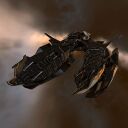
Amarr EWAR
|
Crucifier
Standard Frigates Crucifier Class
2 (0/2) 4 3
27 MW 235 tf350 m/sec265 m³ |
|
|
Crucifier
Standard Frigates Crucifier Class
2 (0/2) 4 3
27 MW 235 tf350 m/sec265 m³ |
Highstroke Scoped Guidance Disruptor
DDO Scoped Tracking Disruptor I
Highstroke Scoped Guidance Disruptor
DDO Scoped Tracking Disruptor I
Damage Control I
F-89 Compact Signal Amplifier
F-89 Compact Signal Amplifier
Small Particle Dispersion Projector I
Small Particle Dispersion Projector I
Small Particle Dispersion Projector I
Warrior I x3
Hobgoblin I x3
Acolyte I x3
Optimal Range Disruption Script x2
Tracking Speed Disruption Script x2
Missile Range Disruption Script x2
Missile Precision Disruption Script x2


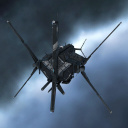
Caldari EWAR
|
Griffin
Standard Frigates Griffin Class
2 (2/0) 5 2
24 MW 240 tf325 m/sec260 m³ |
|
|
Griffin
Standard Frigates Griffin Class
2 (2/0) 5 2
24 MW 240 tf325 m/sec260 m³ |
Auto Targeting System I
Auto Targeting System I
5MN Y-T8 Compact Microwarpdrive
BZ-5 Neutralizing Spatial Destabilizer ECM
Enfeebling Phase Inversion ECM I
'Hypnos' Ion Field ECM I
'Umbra' White Noise ECM
Type-D Attenuation Signal Augmentation
'Hypnos' Signal Distortion Amplifier I
Small Polycarbon Engine Housing I
Small Particle Dispersion Projector I
Small Particle Dispersion Augmentor I
Nanite Repair Paste x15


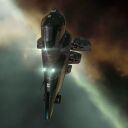
Gallente EWAR
|
Maulus
Standard Frigates Maulus Class
2 (0/2) 4 3
28 MW 230 tf375 m/sec275 m³ |
|
|
Maulus
Standard Frigates Maulus Class
2 (0/2) 4 3
28 MW 230 tf375 m/sec275 m³ |
Drone Link Augmentor I
5MN Y-T8 Compact Microwarpdrive
Low Frequency Sensor Suppressor I
Low Frequency Sensor Suppressor I
Low Frequency Sensor Suppressor I
Damage Control I
Small Ancillary Armor Repairer
200mm Rolled Tungsten Compact Plates
Small Particle Dispersion Projector I
Small Ionic Field Projector I
Small Inverted Signal Field Projector I
Warrior I x6
Nanite Repair Paste x15
Scan Resolution Dampening Script x3
Targeting Range Dampening Script x3


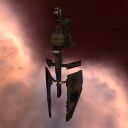
Minmatar EWar
|
Vigil
Standard Frigates Vigil Class
2 (2/0) 5 2
26 MW 225 tf410 m/sec250 m³ |
|
|
Vigil
Standard Frigates Vigil Class
2 (2/0) 5 2
26 MW 225 tf410 m/sec250 m³ |
5MN Quad LiF Restrained Microwarpdrive
Phased Scoped Target Painter
Phased Scoped Target Painter
Phased Scoped Target Painter
Small Azeotropic Restrained Shield Extender
Damage Control I
F-89 Compact Signal Amplifier
Small Anti-EM Screen Reinforcer I
Small Core Defense Field Extender I
Small Core Defense Field Extender I

